Connect AI apps
Add Diffinery to Claude, Claude Code, Codex or any MCP app with one URL and a browser sign-in. Pick your app and follow its guide.
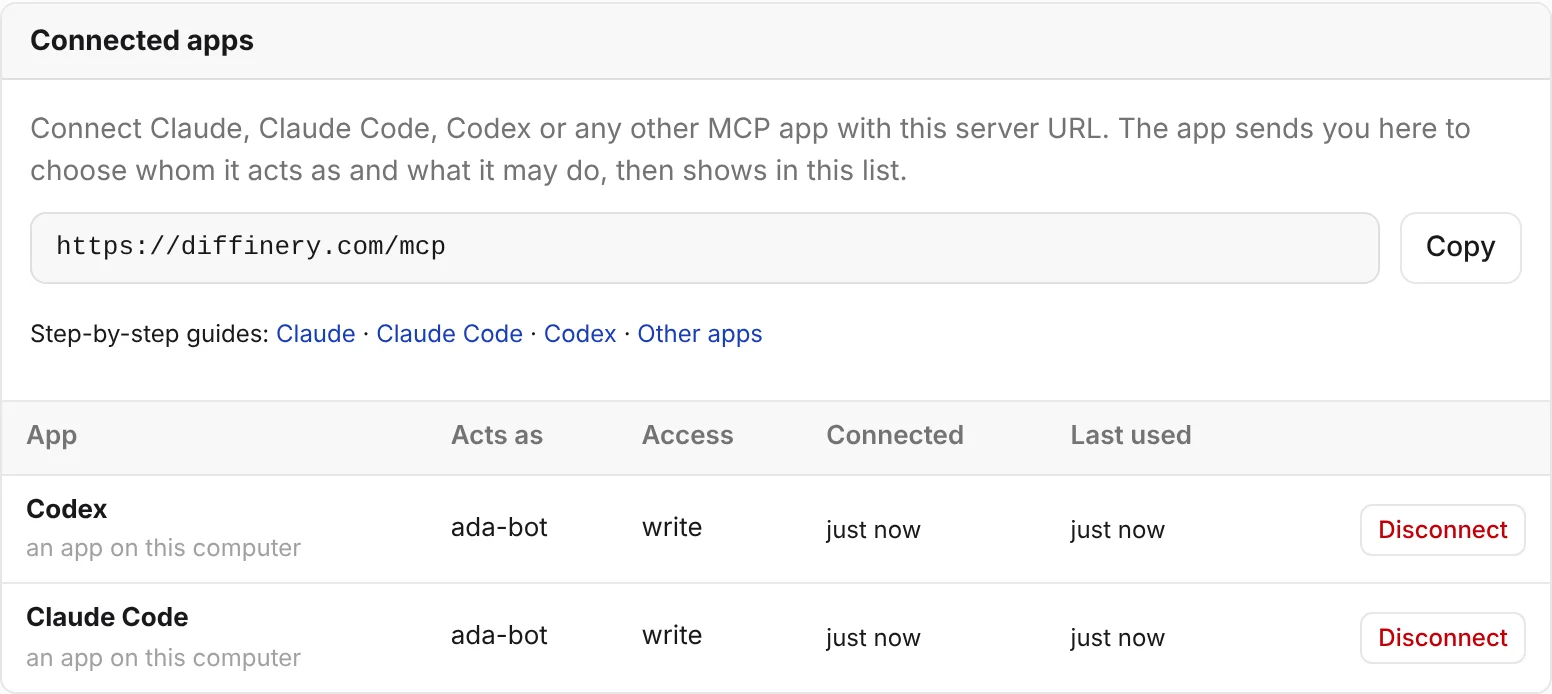
Diffinery works with AI apps through its MCP server. Every app connects to the same address:
https://diffinery.com/mcpOn a self-hosted Diffinery, use your instance's address instead, such as https://git.example.com/mcp.
There is no token to copy. The app sends you to Diffinery in your browser, you choose whom it acts as and what it may do, and it's connected. You can see and disconnect every app under Settings → Access tokens → Connected apps, which also shows this URL with a copy button.
Pick your app
| You use | What you do | Guide |
|---|---|---|
| Claude on claude.ai, Claude Desktop or the Claude mobile apps | Add a custom connector with the URL, then approve it on Diffinery. | Claude |
| Claude Code | Install the Diffinery plugin, then sign in from /mcp. | Claude Code |
| Live CI in Claude Code, cloud sessions included | Install or upload the diffinery-ci plugin. | CI status in Claude |
| Codex (OpenAI's coding agent) | Install the Diffinery plugin, then run codex mcp login diffinery. | Codex |
| Cursor, VS Code or another MCP app | Add the URL as a remote (HTTP) MCP server. | Other apps |
| Claude Code cloud environments and other agent sandboxes | Paste three boxes from the repository's Settings → Agent setup. | Cloud agent environments |
| CI, scripts (no browser) | Send an agent's token instead of signing in. | Headless use |
What a connected app can do
Once connected, the app works with Diffinery the way you would, within the access you gave it:
- Read code, branches and commits, compare branches, and commit files to a new branch without git.
- Open pull requests with an intent, comment, review, merge, or turn on auto-merge.
- Follow CI: list workflow runs, read the log of a failing job, and re-run or cancel runs.
- File and update issues, and draft and publish releases.
- Search and read these docs.
The MCP tool reference lists every tool. In a terminal, Claude Code and Codex can also use git and the diffinery CLI, which the Claude Code and Codex guides set up.
You stay in control
- Act as an agent. On the consent page you pick whether the app acts as you or as one of your agents. An agent is the safer choice for an AI app: its commits and comments are marked as the agent's, it can't push to protected or default branches, and its pull requests need a person's approval unless a branch rule says otherwise.
- Choose the access. Read, Write or Admin. Write is enough for pull requests, reviews and issues. Admin is never preselected.
- Disconnect any time. Settings → Access tokens → Connected apps lists every app with whom it acts as, its access and when it was last used. Disconnect ends it at once.
How the sign-in works, and what each part of the consent page means, is in How sign-in works.
For AI agents reading this page
If you are an agent setting yourself up:
- Running in a terminal with a person nearby: ask them to install the plugin for your app (Claude Code, Codex) and approve the sign-in. Don't try to complete a browser sign-in yourself.
- Running in a cloud sandbox for one repository:
diffinery setup --repo <owner>/<repo>sets up git and gh and checks them; the person sets up the sandbox from the repository's Settings → Agent setup (Cloud agent environments). - Running headless with
DIFFINERY_TOKENset: add the server with anAuthorization: Bearer ${DIFFINERY_TOKEN}header, as in Headless use.diffinery mcp-configprints the snippet. - Either way,
diffinery auth setup-gitlets git push with the same sign-in, anddiffinery auth setup-ghmakesghwork against diffinery.com (GitHub CLI).